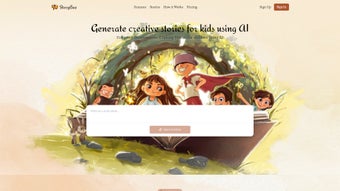

Download StoryBee – AI‑Powered Story Generator for Kids
Overview: What Is StoryBee?
StoryBee is an innovative, AI‑driven web application that empowers parents, teachers, and caregivers to create personalized children’s stories in seconds. By simply entering a hint, theme, or a few keywords, the built‑in language model crafts a unique narrative that matches the chosen genre, age level, and even visual style. The platform supports a wide range of story types—from whimsical bedtime tales to educational adventures—making it a versatile tool for both home and classroom environments.
One of StoryBee’s strongest selling points is its free tier, which offers unlimited story generation without hidden limits, while a premium subscription unlocks advanced features such as higher‑resolution illustrations, multi‑language support, and custom character libraries. User testimonials repeatedly highlight the app’s intuitive interface, the quality of the generated content, and the way it sparks children’s imagination and storytelling skills. Whether you need a quick bedtime story, a lesson‑plan supplement, or a creative writing prompt, StoryBee delivers a secure, fast, and enjoyable experience that encourages young readers to explore new worlds.
Features & Benefits: Why StoryBee Stands Out
- AI‑Generated Narratives: Advanced natural‑language processing creates coherent, age‑appropriate stories in under a minute.
- Genre Library: Choose from fairy‑tale, adventure, mystery, sci‑fi, and educational genres to match any mood.
- Customizable Image Styles: Select illustration themes (watercolor, cartoon, realistic) that automatically pair with the story.
- Unlimited Free Stories: The free version imposes no caps on the number of stories you can generate.
- Premium Enhancements: Higher‑resolution images, multi‑language output (English, Spanish, French, Mandarin), and a personal character archive.
- User‑Friendly Editor: Drag‑and‑drop text blocks, adjust pacing, and preview the story before finalizing.
- Secure Cloud Storage: All stories are saved to an encrypted cloud account, accessible from any device.
- Educational Tools: Built‑in prompts for vocabulary building, moral lessons, and comprehension questions.
- Export Options: Download stories as PDF, ePub, or printable PDF with embedded illustrations.
- Cross‑Platform Access: Works on any modern browser, with responsive design for tablets, smartphones, and desktops.
Beyond the feature list, StoryBee delivers tangible benefits that matter to families and educators. The instant creation process saves valuable time—parents can generate a bedtime story in seconds, while teachers can produce customized reading material for each student. The AI’s ability to weave educational elements into entertaining narratives helps reinforce learning objectives without feeling like a lesson. Moreover, the visual customization encourages children to develop a deeper connection with the story, fostering a love for reading and creative expression. The premium subscription, while optional, offers a professional‑grade toolkit for schools that need higher quality assets and multilingual support, making StoryBee a scalable solution for both home use and institutional deployment.
Installation, Compatibility & How to Use StoryBee
StoryBee is a web‑based application, which means there is no traditional “installation” process. Users simply visit storybee.com from any supported browser, create a free account, and start generating stories instantly. The platform is built on modern HTML5, CSS3, and JavaScript, ensuring smooth performance across a variety of operating systems.
Supported Operating Systems: Windows 10 or later, macOS 10.14+, Linux distributions with up‑to‑date browsers, iOS 13+, Android 8+. Because it runs in the cloud, performance is dictated more by internet connectivity than local hardware.
Step‑by‑Step Guide
- Sign Up: Click “Get Started” on the homepage, enter an email address, and confirm via the verification link.
- Select a Theme: In the dashboard, type a hint such as “a brave rabbit in space” or choose from preset prompts.
- Choose Genre & Image Style: Pick the desired genre and visual theme from dropdown menus.
- Generate Story: Press “Create” and watch the AI craft a unique narrative within seconds.
- Review & Edit: Use the built‑in editor to tweak sentences, adjust pacing, or swap illustrations.
- Export or Share: Download the finished story as a PDF, or share a secure link with family members.
For premium users, an additional “Advanced Settings” panel appears, offering language selection, character library management, and higher‑resolution image options. StoryBee also integrates with popular educational platforms such as Google Classroom and Microsoft Teams via a simple API token, allowing teachers to push stories directly to student accounts.
Because the service is cloud‑based, updates are automatic—there’s no need to manually download patches or worry about version compatibility. Security is a top priority; all data transfers are encrypted with TLS 1.3, and user passwords are stored using salted bcrypt hashes. In short, StoryBee delivers a frictionless, secure, and cross‑device experience that lets you focus on storytelling rather than technical hurdles.
Pros, Cons, FAQ & Final Thoughts
Pros
- Instant story generation saves time for busy parents and teachers.
- Rich genre and illustration options keep children engaged.
- Unlimited free tier makes the tool accessible to all.
- Secure cloud storage and privacy‑focused architecture.
- Multi‑language support in premium plan expands global reach.
Cons
- Reliance on internet connection; offline use not possible.
- Premium features (high‑res images, multilingual output) require a subscription.
- AI may occasionally produce repetitive phrasing, needing minor edits.
Frequently Asked Questions
Is StoryBee really free?
Yes. The core story‑generation engine is completely free with unlimited usage. Premium features like high‑resolution artwork and language options are optional.
Can I use StoryBee on a tablet?
Absolutely. StoryBee’s responsive design works on iPad, Android tablets, and any device with a modern browser.
How secure is my child’s data?
All data is encrypted in transit (TLS 1.3) and at rest. Passwords are hashed with bcrypt, and stories are stored in a private cloud space only accessible by your account.
Can I export stories for printing?
Yes. Stories can be downloaded as PDF or ePub files, with embedded illustrations ready for high‑quality printing.
Is there a limit on story length?
The free version allows up to 800 words per story, which is sufficient for most bedtime tales. Premium members enjoy a 2,000‑word limit for longer adventures.
Conclusion & Call to Action
StoryBee combines cutting‑edge AI with a child‑friendly interface, delivering a powerful storytelling tool that is both free and secure. Its genre diversity, customizable visuals, and seamless cloud experience make it an ideal companion for bedtime routines, classroom projects, and creative play. While a stable internet connection and a modest subscription for premium assets are required, the overall value far outweighs these minor constraints. If you’re looking for a quick, engaging, and educational way to spark imagination in young readers, StoryBee is the answer.
Ready to start crafting magical tales? Download StoryBee now and explore the free version. Upgrade to premium anytime to unlock even richer illustrations and multilingual storytelling. Give your children the gift of personalized adventures—one story at a time.



.png)



